Drag the green to aim. Tap Start power, then Putt near the flag.
Spin
Drag the red dot up for topspin, down for backspin, or left and right for side spin. Combine directions. Arrow keys adjust; Home resets.
PLAYER 1 · NORTH
PULL BACK ON TABLE · RELEASE TO SERVE
LEVEL 1
Left glove
IN → UP: UPPERCUT DOWN → IN → UP: STRONG UPPERCUT OUT → UP: HEAD HOOK DOWN → OUT → UP: STRONG HEAD HOOK OUT → DOWN: BODY HOOK UP → OUT → DOWN: STRONG BODY HOOK
Right glove
CLASSIC TITLE FIGHT CONTROL PANEL
LEFT STICK = LEFT GLOVE · RIGHT STICK = RIGHT GLOVE · HOLD BOTH INWARD TO KEEP THE BLOCK UP
 LOADING C-DRIVE’S GARAGE…
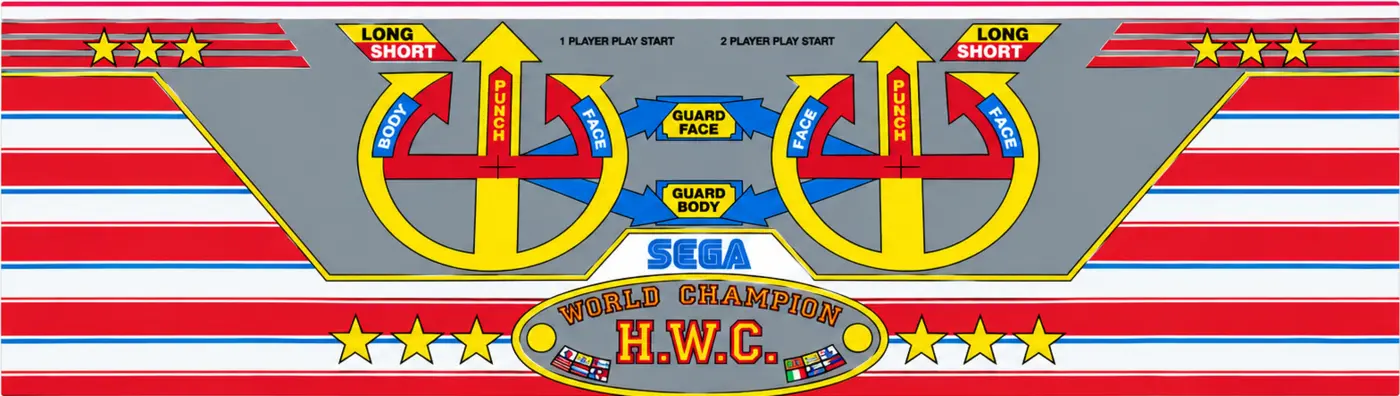 LEFT STICK = LEFT GLOVE · RIGHT STICK = RIGHT GLOVE · HOLD BOTH INWARD TO KEEP THE BLOCK UP